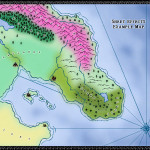
If you use Campaign Cartographer to make maps, you need to check out these user-contributed CC3 tutorials.
Thank you Joseph Sweeney for making them!
{ 0 comments }
Free Maps of Fantasy Worlds
From the category archives:
If you use Campaign Cartographer to make maps, you need to check out these user-contributed CC3 tutorials.
Thank you Joseph Sweeney for making them!
{ 0 comments }
I’ll get straight to the point – I’m not very artistic. I’m color blind and I can’t even draw a straight line.
I enjoy looking at art. I like the process of creative self-expression (which I usually only express to myself!). I love map-making. But if you’ve found any of my previous maps pleasurable to look at, I can’t take much credit for it. It’s mostly due to the spectacular Campaign Cartographer software and a little bit of perseverance on my part.
I don’t say this out of humility (sorry, anyone who blogs has plenty of ego), but I say it to encourage those of you who are similarly inartistic. If I can make a decent-looking map, so can you.
Let’s take this map as an example. Click on this image to enlarge it and you’ll see how utterly lame it looks. It’s just a bunch of bland text on random blobs of color. I’ve seen very few things this unexciting in my lifetime. To be honest, I can barely even tell that it’s a map.
Now, here’s where the magic comes in.
Using the Sarah Wroot style pack from the The Cartographer’s Annual Volume I, I was able to make my map look like this just by clicking the “Activate Sheet Effects” option.
Yes, it’s that easy.
Just one click of the mouse and we get beautifully blended terrains, dynamic oceans and vibrant text labels.
Granted, this map isn’t great yet – I only took about 10-15 minutes to lay down the colors. But if I took a little more time, I would have a polished map, ready for your scrutiny.
So if you’re not a great artist but want to make great looking fantasy maps, do yourself a favor and pick up a copy of Campaign Cartographer.
{ 0 comments }